Do You Need a Computerized Sewing Machine?
You don't need a computerized sewing machine for basic seams, hems, and repairs. Choose computerized controls if you prefer electronic stitch selection and will use the extra stitch or buttonhole options.
On this page (9 sections)
- Do you need a computerized sewing machine for everyday sewing?
- What does computerized control actually change?
- Which projects make extra features worthwhile?
- Is computerized a sensible first machine?
- Which of these machines fits your sewing plans?
- What should you check before ordering?
- How should you set up and care for either type?
- Which mistakes should you avoid?
- How do you decide if you need computerized controls?
You don't need a computerized sewing machine for basic seams, hems, and repairs. Choose one if electronic stitch selection makes sense to you and its extra stitch or buttonhole options match projects you plan to make.
Start with your next 3 projects, rather than the longest feature list. Shortening woven curtains, making cushion covers, and sewing button-front shirts place different demands on a machine.
Do you need a computerized sewing machine for everyday sewing?
Everyday sewing needs the right stitches and controls, rather than a computer. Straight stitching handles many woven seams, while zigzag and suitable stretch stitches expand the work you can do.
For occasional repairs, a machine you can thread and set up confidently is often the better buy. Extra decorative stitches won't help you guide a hem or choose the right needle.
Computerized controls become useful when you frequently change stitches or want a display to help you select them. If your current machine already does your projects well, a bigger stitch menu alone is a weak reason to replace it.
If the terms are unfamiliar, start with what a computerized sewing machine is. Focus on how you select and adjust stitches, since both machine types still require fabric handling skills.
What does computerized control actually change?
Computerized machines use electronic controls to select stitches and manage settings. Mechanical models generally use dials or levers for these choices.
A display can make it easier to keep track of the stitch you've selected. However, conveniences such as speed control, automatic thread cutting, and needle-position controls are separate features, so check for each one you want.
Computerized does not mean automatic sewing, extra piercing power, or embroidery capability. You still guide the fabric, secure the seam, and use a needle and thread suited to the material.
Read the mechanical vs computerized sewing machine comparison if control style is your main uncertainty. Choose the interface you can understand while concentrating on your seam.
Which projects make extra features worthwhile?
Varied garment work and decorative sewing give extra stitch options a purpose. Basic alterations and household repairs usually need a smaller set of functions.
For woven garments, look for straight stitching, seam-finishing options, zipper-foot support, and a buttonhole process you can follow. For knits, prioritize a suitable stretch stitch and needle rather than decorative variety.
Quilt piecing mainly uses straight seams. Larger quilt projects also need room to support the fabric, so stitch count should not lead that decision.
Heavy fabric is another separate question. Neither electronic controls nor a metal frame establishes how many layers a machine can handle, especially at folded seam intersections.
Do you need computerized sewing machine controls for buttonholes?
One-step buttonholes do not require computerized controls. Both the Brother XM2701 and XM3700 offer that function, while the CS5055 adds several styles.
A four-step buttonhole requires you to move through the stages yourself. It can suit occasional use, but a one-step process is worth prioritizing if shirts and other button-front garments are regular projects.
Practice the buttonhole on scraps with the same fabric layers and interfacing as the garment. Confirm the opening fits your button before sewing into the finished piece.
Is computerized a sensible first machine?
Either machine type can be a sensible first choice if its controls match how you learn. Beginners benefit from clear threading instructions, accessible stitch selection, and a manageable first project.
Read the manual's threading and stitch-selection pages before buying. Picture changing from a straight seam to zigzag, then back again, without losing your place.
Preset settings reduce the number of choices, but they also limit adjustment. Adjustable settings take more learning and give you more room to change stitch length or width for different tasks.
Our best sewing machines for beginners guide covers options across machine types. Leave room in your sewing budget for suitable needles, thread, fabric, and basic cutting tools.
Which of these machines fits your sewing plans?
Choose among these machines by the work you expect to repeat. The main differences here are control style, stitch range, buttonhole choices, and included accessories.
Brother XM2701: everyday repairs and small alterations
The XM2701 suits home mending and everyday projects when you want useful stitch choices without moving to computerized controls. Its free arm helps you position cuffs, sleeves, and pant legs.
It includes 6 sewing feet, covering tasks such as zippers, blind hems, and narrow hems. That gives an alterations beginner several tools to learn without choosing separate feet immediately.
Skip it if an electronic display is a firm preference or you specifically want several buttonhole styles. Those needs point more directly toward the CS5055.
Brother XM3700: garment details and stitch variety
The XM3700 suits sewers who want more stitch variety for garment construction, crafts, and decorative details. Its removable accessory compartment also converts the bed to a free arm.
The included feet cover zigzag sewing, zippers, blind stitching, buttonholes, and button sewing. Choose it when those tasks form a useful next step in your sewing.
Skip it if you mainly need occasional straight seams or already know you prefer electronic selection. The added stitch choices need a purpose beyond making the feature list longer.
Brother CS5055: electronic selection and varied buttonholes
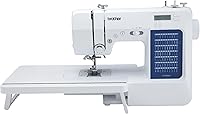
The CS5055 suits sewers who want a display and broader stitch choices for clothing and decorative work. It is the computerized option in this group.
Its included set of 7 sewing feet supports different sewing tasks. Choose it when you'll use the selection options, rather than expecting electronic controls to correct poor threading or fabric handling.
Skip it if your present machine handles your work and you prefer dials. Don't choose it solely because your next project uses thick fabric.
Singer M1500: basic mending with fewer settings
The M1500 suits occasional sewing and learners who prefer preset settings. Its basic stitch range covers tasks such as straight seams, zigzag sewing, and blind hems.
It has 6 built-in stitches that provide 57 stitch applications, rather than 57 separate stitches. Its four-step buttonhole requires more input than the one-step alternatives above.
Skip it if you want to adjust stitch length and width yourself or expect frequent buttonhole work. Presets simplify setup but give you less flexibility.
For more electronic options, browse computerized sewing machines or the best computerized sewing machines.
What should you check before ordering?
Check project fit, accessories, and support before counting stitches. A feature matters when it helps complete work you actually plan to do.
- Fabric and layers: Think about the thickest folded seam in your project, not just a single flat layer.
- Feet: Match included feet to your tasks, especially zippers and buttonholes, and check compatibility before buying extras.
- Workspace: Allow room beside and behind the machine to support fabric without pulling it.
- Power: The 3 Brother models here are intended for US use at 120 volts; confirm your setup suits them.
- Service: Check access to repairs and replacement parts, particularly if you rely on the machine for regular work.
For a broader checklist, use the sewing machines for home buying guide. Decide which features are essential before comparing models.
How should you set up and care for either type?
Correct threading and a suitable needle matter on both machine types. Begin with a stable table, good light, and scraps that match your project fabric.
Thread the upper path with the presser foot raised, following the manual. Use the specified bobbin type and insertion direction, since similar-looking bobbins are not always interchangeable.
Fit a needle suited to the fabric and check that it is fully seated. Replace a bent, damaged, or dull needle before adjusting tension to solve a stitching problem.
Start with a straight seam on 2 layers and inspect both sides. Change one setting at a time so you can see what caused the difference.
Unplug the machine before cleaning as directed in its manual. Brush lint from accessible areas, cover the machine between uses, and oil only where the manual instructs.
Which mistakes should you avoid?
Avoid buying extra stitches to solve a setup problem. Loops, skipped stitches, and jams can come from threading, needle choice, or bobbin setup on either machine type.
Don't pull fabric through the machine to make it move faster. Support its weight and let the feed mechanism advance it, especially when fabric hangs off the table.
Don't assume every convenience requires computerized controls. Automatic needle threaders and one-step buttonholes appear on mechanical options in this group.
If your current machine jams, follow the checks in why a sewing machine keeps jamming before replacing it. A threading correction may solve the problem without a new machine.
How do you decide if you need computerized controls?
You need a computerized sewing machine only if its controls or functions improve the work you plan to do. Write down the task you want to make easier before choosing.
Pick the CS5055 for electronic selection and varied buttonholes, the XM2701 for everyday alterations, or the XM3700 for a broader stitch range without computerized controls. Choose the M1500 when preset settings suit your basic projects.
Keep a working machine if it already meets those needs. If you're still deciding between interfaces, compare mechanical and computerized sewing machines with your project list beside you.
Frequently asked questions
Do beginners need a computerized sewing machine?
No, beginners can learn on either type. Choose clear controls, manageable threading steps, and stitches that suit your first projects.
A computerized machine makes sense if you like electronic selection, but a mechanical model can handle basic learning tasks without a large stitch menu.
Is a computerized sewing machine easier to use?
A computerized sewing machine can make stitch selection easier if you prefer buttons and a display. You still need to learn threading, fabric handling, and needle choice.
Compare the actual controls before buying, since a dial may feel clearer when you mainly use a few stitches.
What is the main advantage of a computerized sewing machine?
The main advantage is electronic control of stitch selection and, depending on the model, stitch settings. This can help when you switch among several stitch types.
Check the functions separately, because a computerized label does not guarantee every convenience feature or suitability for thick fabric.
Should I buy a computerized or mechanical sewing machine?
Choose computerized if you prefer electronic controls and have a clear use for its extra stitch or buttonhole options. Choose mechanical if you prefer dials and mainly sew seams, hems, or repairs.
Before replacing a working machine, identify a task it cannot handle or a control you want to change.